
IT Services for Architecture Firms
Reliable and scalable IT solutions that support CAD, BIM, 3D modeling, secure project files, cloud collaboration, and productive design workflows.
Architecture firms rely on high-performance technology to keep design, documentation, rendering, and collaboration moving without unnecessary delays. From CAD and BIM software to large project files, remote teams, cloud platforms, and secure client data, your IT environment needs to support both creativity and operational efficiency.
Renascence IT Consulting provides tailored IT services for architecture firms, helping your team maintain reliable systems, secure data, optimized workstations, and scalable technology that supports design work in the studio and in the field.
Why Architecture Firms Need Specialized IT Support
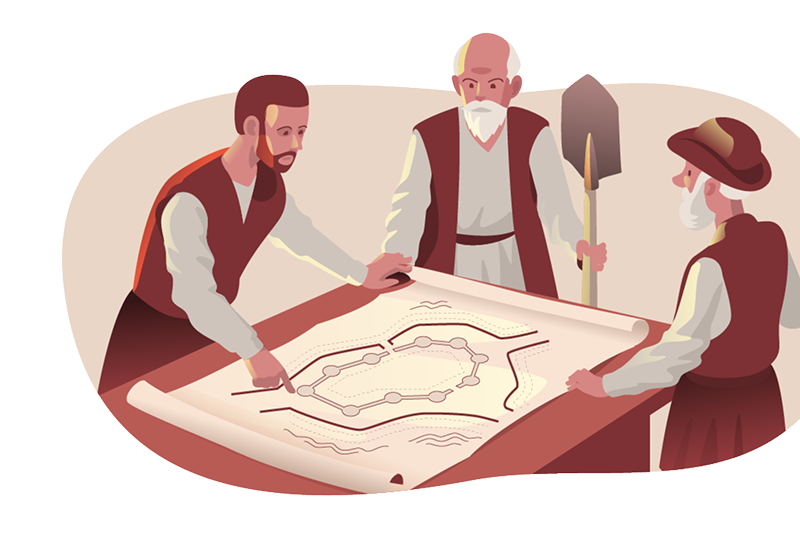
Architecture firms depend on technology that can handle large files, performance-heavy applications, remote collaboration, and tight project timelines. Standard IT support may not fully address the demands of CAD, BIM, 3D modeling, rendering, cloud storage, and secure file sharing.
When systems are slow, files are difficult to access, or collaboration tools are unreliable, productivity suffers. Design teams need IT support that understands the connection between workstation performance, network speed, data protection, and project delivery.
Renascence IT helps architecture firms build a stronger technology foundation so architects, designers, project managers, and administrative teams can work securely and efficiently across locations.
IT Services We Provide for Architecture Firms
Architecture firms need more than general IT troubleshooting. Your technology must support design software, high-performance workstations, secure file sharing, remote access, large data storage, and dependable backup. Renascence IT provides IT services for architecture firms that help improve productivity, protect project files, and keep design teams connected.
Managed IT Services
Architecture firms need dependable systems that can support CAD, BIM, rendering, file sharing, and day-to-day business operations. Our managed IT services help keep workstations, servers, applications, and networks running reliably so your team can stay focused on design work.
- Proactive monitoring to reduce downtime across design and business systems
- Workstation and system maintenance to support CAD, BIM, and 3D modeling workflows
- Responsive IT support for architects, designers, project managers, and administrative teams
Co-Managed IT Services
If your architecture firm has an internal IT resource or operations team, Renascence IT can provide additional support, expertise, and tools. Our co-managed IT services help strengthen your current team while improving system performance, documentation, security, and scalability.
- Flexible support for IT projects, system upgrades, and ongoing management
- Collaboration with internal teams to improve support workflows and documentation
- Added expertise for CAD/BIM environments, cloud systems, network performance, and security
Cybersecurity Services
Architecture firms manage sensitive project files, client records, contracts, intellectual property, and financial information. Our cybersecurity services help protect users, devices, cloud platforms, email, and networks from threats that can disrupt operations or expose confidential data.
- Threat detection and response to protect project files, client data, and business systems
- Secure access controls for employees, consultants, contractors, and remote users
- Cybersecurity planning to reduce risks tied to file sharing, email, cloud tools, and endpoints
Disaster Recovery & Business Continuity
Lost project files, system outages, and downtime can delay deadlines and create serious client service issues. Renascence IT helps architecture firms protect critical data and recover faster from hardware failure, cyber incidents, accidental deletion, or system disruption.
- Automated backups for CAD files, BIM models, project documents, and business records
- Recovery planning to reduce downtime after data loss, outages, or cyber events
- Business continuity strategies that help keep project teams productive during disruptions
Cloud-Based Solutions
Architecture firms need secure, flexible cloud environments that support remote work, large file access, project collaboration, and scalable storage. We help design, manage, and secure cloud solutions that support how architects work today.
- Cloud storage and collaboration tools for large design files and project documents
- Secure remote access for studio teams, field teams, consultants, and partners
- Cloud security controls to protect confidential project data and user access
IT Consulting Services
Architecture firms need technology decisions that support design performance, project delivery, and future growth. Our IT consulting services help your team evaluate systems, plan upgrades, manage vendors, and align technology investments with business goals.
- Technology roadmap planning for CAD, BIM, cloud, security, and infrastructure needs
- Guidance on workstation upgrades, software environments, vendor tools, and remote access
- Strategic recommendations to improve performance, collaboration, scalability, and resilience
Architecture IT Challenges We Help Solve
Architecture firms work in fast-moving project environments where slow systems, file access issues, or downtime can interrupt deadlines. Renascence IT helps address common IT challenges such as:
Slow workstation performance during CAD, BIM, 3D modeling, or rendering tasks
Unreliable access to large project files across studio and remote teams
Cloud storage and collaboration tools that are not properly configured or secured
Weak backup processes for critical design files and project documents
Network performance issues that slow file sharing and application access
Cybersecurity risks tied to email, endpoints, remote access, and file sharing
Limited IT documentation for systems, vendors, licenses, and support processes
Growing technology needs as firms add users, locations, software, or larger projects
IT Support Built Around Architecture Workflows
Architecture firms rely on a connected technology environment that supports design software, project management, client communication, field collaboration, cloud access, and secure data storage. Each system needs to work together so teams can move projects forward without avoidable technical friction.
Renascence IT provides support designed for architecture firms that need reliable infrastructure, secure collaboration, responsive support, and practical technology guidance. From workstation support to cloud strategy, we help your firm maintain the IT foundation needed for efficient project delivery.
Our support can help with:
Why Architecture Firms Trust Renascence IT
- Optimized IT for Design Software: We help architecture firms maintain technology environments that support CAD, BIM, 3D modeling, rendering, and other resource-intensive design applications.
- Secure Collaboration Tools: We help teams share large project files securely across studios, remote users, consultants, contractors, and clients while maintaining control over access and data.
- Reliable Data Protection: We help protect project files, design documents, business records, and client data through backup, disaster recovery, and continuity planning.
- Scalable IT for Growing Firms: As your firm adds users, projects, locations, and software needs, Renascence IT helps plan and manage technology that can scale with your growth.
- Strategic Technology Guidance: We provide practical IT consulting for workstation planning, cloud adoption, infrastructure upgrades, cybersecurity, and emerging tools that can support better design workflows.
Build a Stronger IT Foundation for Your Architecture Firm
Your architecture firm needs technology that supports design performance, secure collaboration, and dependable project delivery. Renascence IT Consulting helps architecture firms improve workstation reliability, strengthen cybersecurity, support cloud environments, and protect critical project data.
Whether you need ongoing managed IT support, cloud guidance, cybersecurity protection, disaster recovery planning, or a strategic IT review, our team can help you build a technology environment that supports your firm’s next stage of growth.
IT Services for Architecture Firms FAQs
How does IT improve efficiency in architectural firms?
IT improves efficiency by keeping CAD, BIM, rendering, file sharing, cloud access, and communication systems running reliably. With the right IT support, architecture teams can reduce downtime, improve collaboration, and move projects forward with fewer technology interruptions.
What security measures do you offer for architectural data?
Renascence IT helps protect architectural data through endpoint security, access controls, email protection, cloud security, network monitoring, backup, and cybersecurity planning. These safeguards help protect project files, client information, and confidential business data.
Can IT solutions help remote architectural teams collaborate?
Yes. IT solutions can support remote collaboration through secure cloud platforms, remote access tools, file sharing systems, user permissions, and reliable network connectivity. This allows studio, field, and remote teams to access the files and tools they need securely.
How does cloud computing benefit architecture firms?
Cloud computing helps architecture firms improve file access, collaboration, remote work, storage scalability, and data protection. It also allows teams to work more efficiently across locations while maintaining better control over access and security.
Do you offer disaster recovery solutions for architecture firms?
Yes. Renascence IT helps architecture firms implement backup and disaster recovery strategies that protect CAD files, BIM models, project documents, business data, and system configurations. These solutions help reduce downtime and support faster recovery after disruptions.
Why do architecture firms need managed IT services?
Architecture firms need managed IT services to maintain workstation performance, support design applications, protect project files, manage cloud tools, and reduce downtime. Managed IT also gives firms ongoing support and strategic guidance as technology needs grow.
What IT risks should architecture firms watch for?
Common IT risks include weak access controls, unsecured file sharing, poor backup processes, outdated workstations, slow networks, email threats, and unmanaged cloud environments. These issues can affect productivity, security, client service, and project delivery.
Design Without Limits
Do not let crumbling systems and digital invaders threaten your grand designs! Strengthen your firm’s foundation with Renascence’s powerful IT solutions that optimize your craft, shield your creative treasures, and elevate your technological stronghold.